Askora: How I Built an AI Q&A Platform in a Weekend
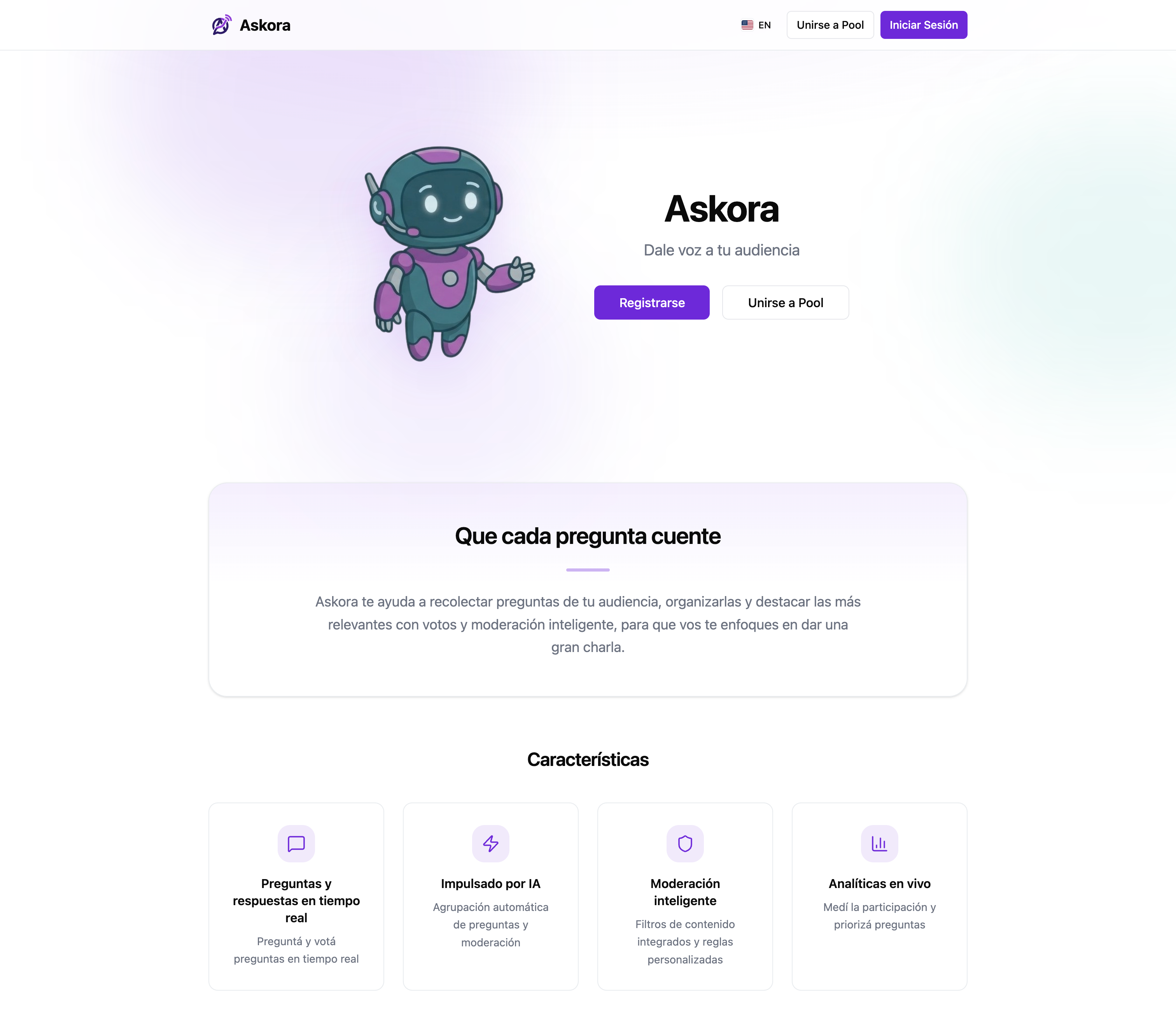
Note: the screenshots in this post were taken from Askora’s Spanish UI version.
It all started on a Friday night. I was watching YouTube when I stumbled upon a video by Midudev announcing a Hackathon sponsored by CubePath. The premise was clear, and time was limited. Instead of overthinking, I decided to focus on a real problem I constantly see in streams and live events: audience question management.
That’s how Askora was born, a platform to give the audience a voice without driving the presenter crazy.
The Philosophy: Utility and Simplicity from Day 1
My main goal for this weekend was not to get lost in unnecessary details. I wanted a functional, useful, and simple product.
The problem to solve: chats get saturated, questions are repeated, and the content creator doesn’t know what to answer. The solution: A panel where the audience submits questions, votes for the best ones, and, using Artificial Intelligence, similar ones are automatically grouped together.
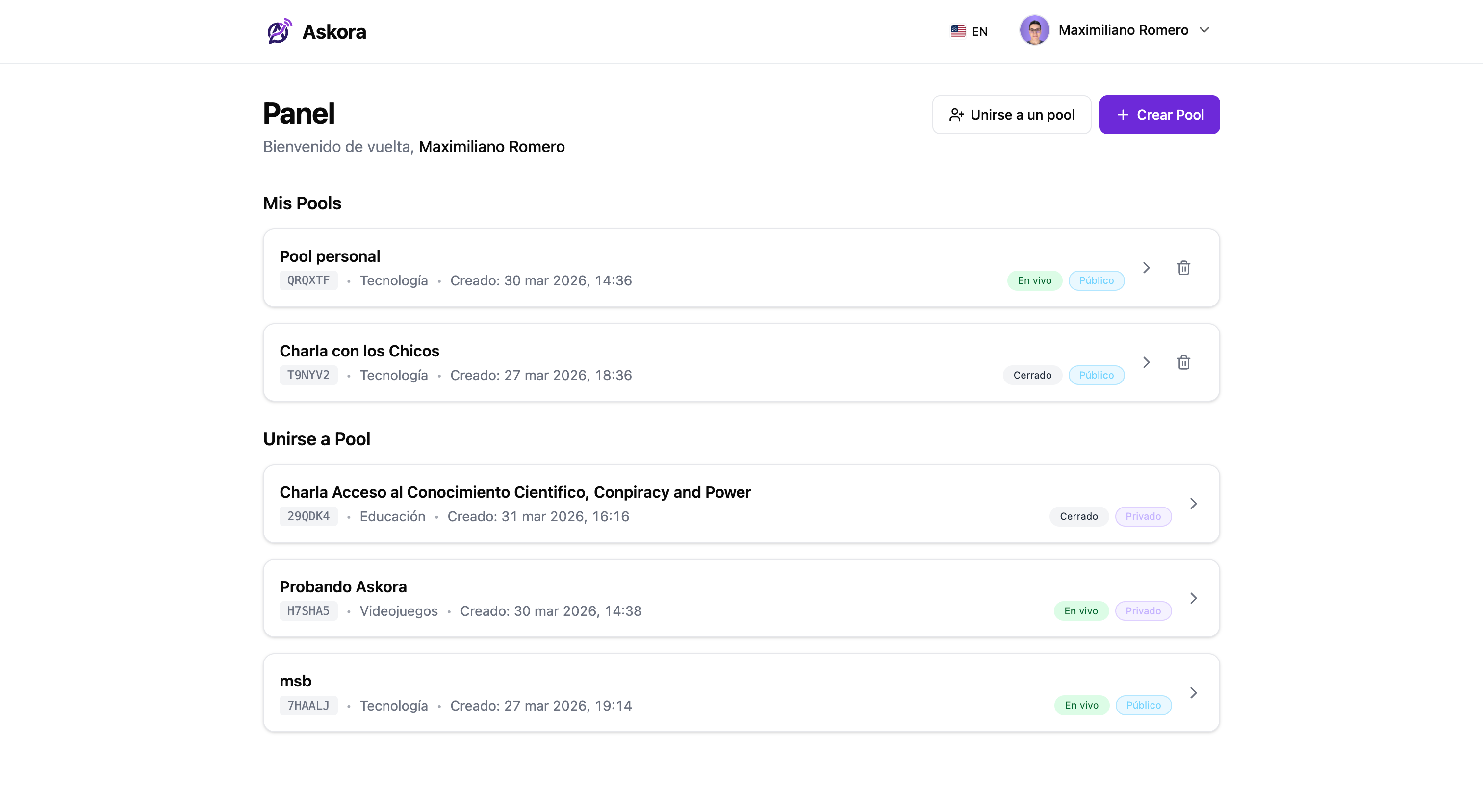
In other words: less noise, more signal. The audience participates without competing against the infinite scroll of the chat, and the presenter receives a prioritized list, with “merged” questions to avoid duplicates.
The Architecture and Tech Stack
On Saturday morning, I sat down to design the architecture. I needed something robust but that would allow me to iterate quickly. I decided to separate the application into three main services orchestrated with Docker Compose: an SPA for the frontend, a REST/WebSocket API for the backend, and a relational database.
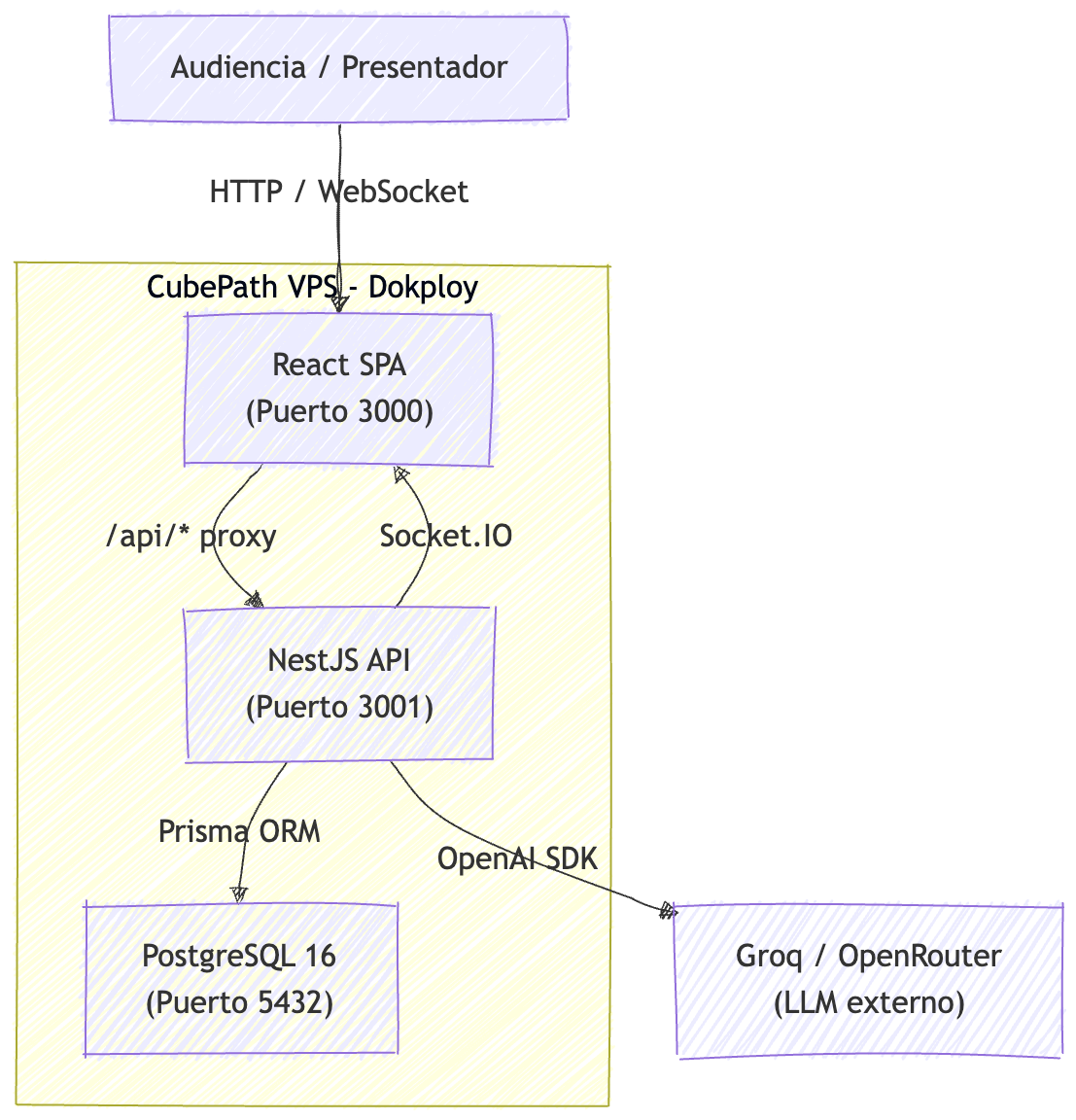
As seen in the diagram, the application flow is designed to be highly reactive and scalable:
- Client (Frontend): Users interact with an SPA built in React and served by Nginx. Traditional REST requests handle basic CRUD, while WebSocket connections (Socket.IO) maintain real-time state.
- API Gateway (Backend): The NestJS server acts as the central orchestrator. It receives WebSocket events and HTTP requests, validating authentication via JWT.
- Data Layer: Prisma ORM handles persistence in PostgreSQL, ensuring the integrity of pools, questions, and user data.
- AI Integration: When a new question is received via WebSockets, the backend asynchronously communicates with the Groq API (or OpenRouter) to analyze the semantics and decide whether to merge it with an existing question or create a new one.
Frontend: React 19 and Modern Ecosystem
For the user interface, I went with the latest:
- React 19 with Vite: For an ultra-fast development environment and an optimized build.
- TailwindCSS v4 and shadcn/ui: This combination allowed me to build accessible, responsive components with a clean design in record time, without having to write CSS from scratch.
- Zustand: For global state management, maintaining simplicity compared to heavier alternatives like Redux.
- Socket.IO Client: Essential for real-time bidirectional communication.
Backend: NestJS and PostgreSQL
The heart of Askora needed to handle concurrency and complex business logic:
- NestJS: Its modular architecture allowed me to quickly separate authentication logic, WebSockets (Gateways), and AI services.
- Database: I used PostgreSQL 16 managed through Prisma ORM, which gave me strict end-to-end typing and safe migrations.
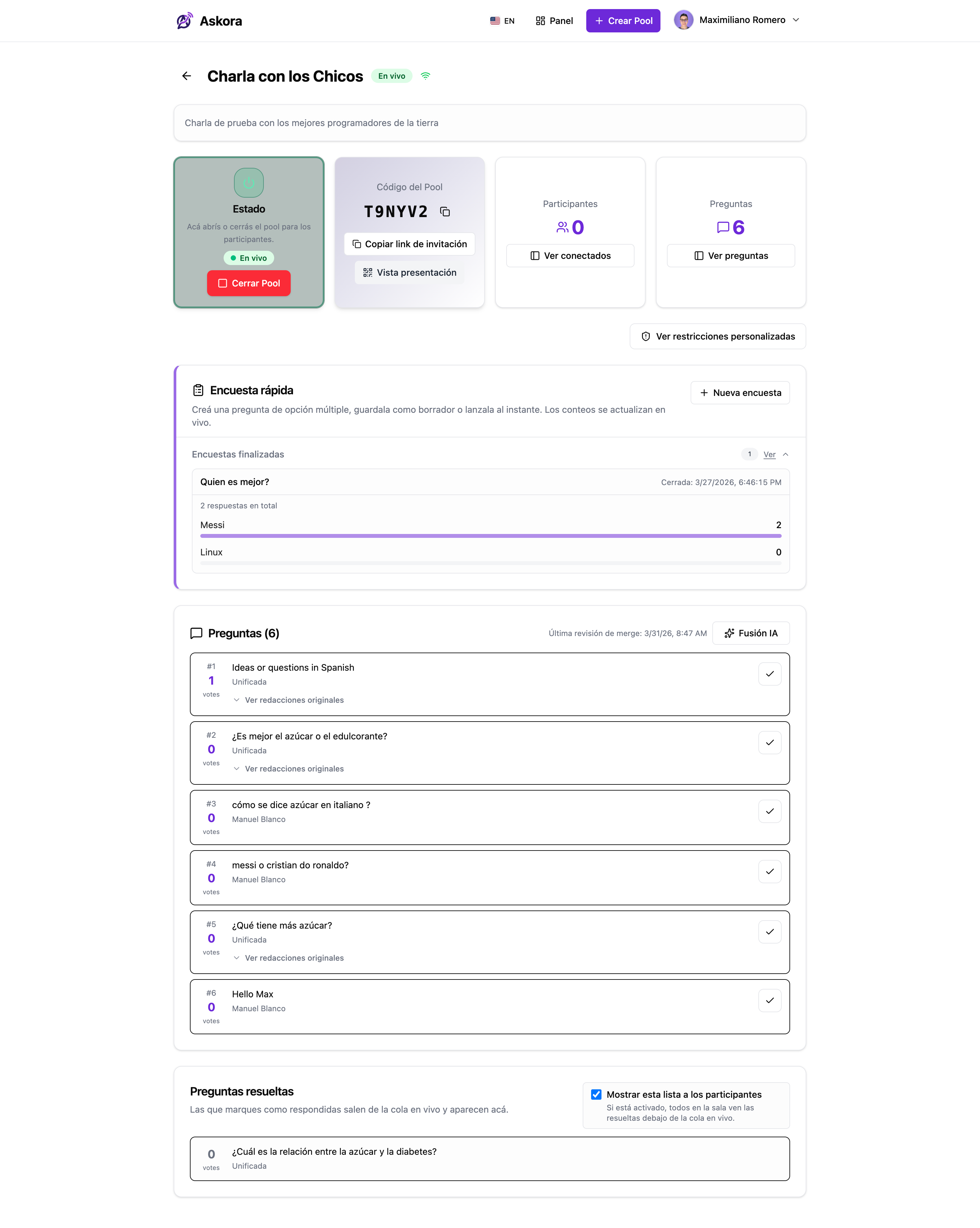
The main “object” of the app is the pool: a Q&A space associated with an event or talk. From there, access is controlled (public/private), live activity is observed, and content is moderated when necessary.
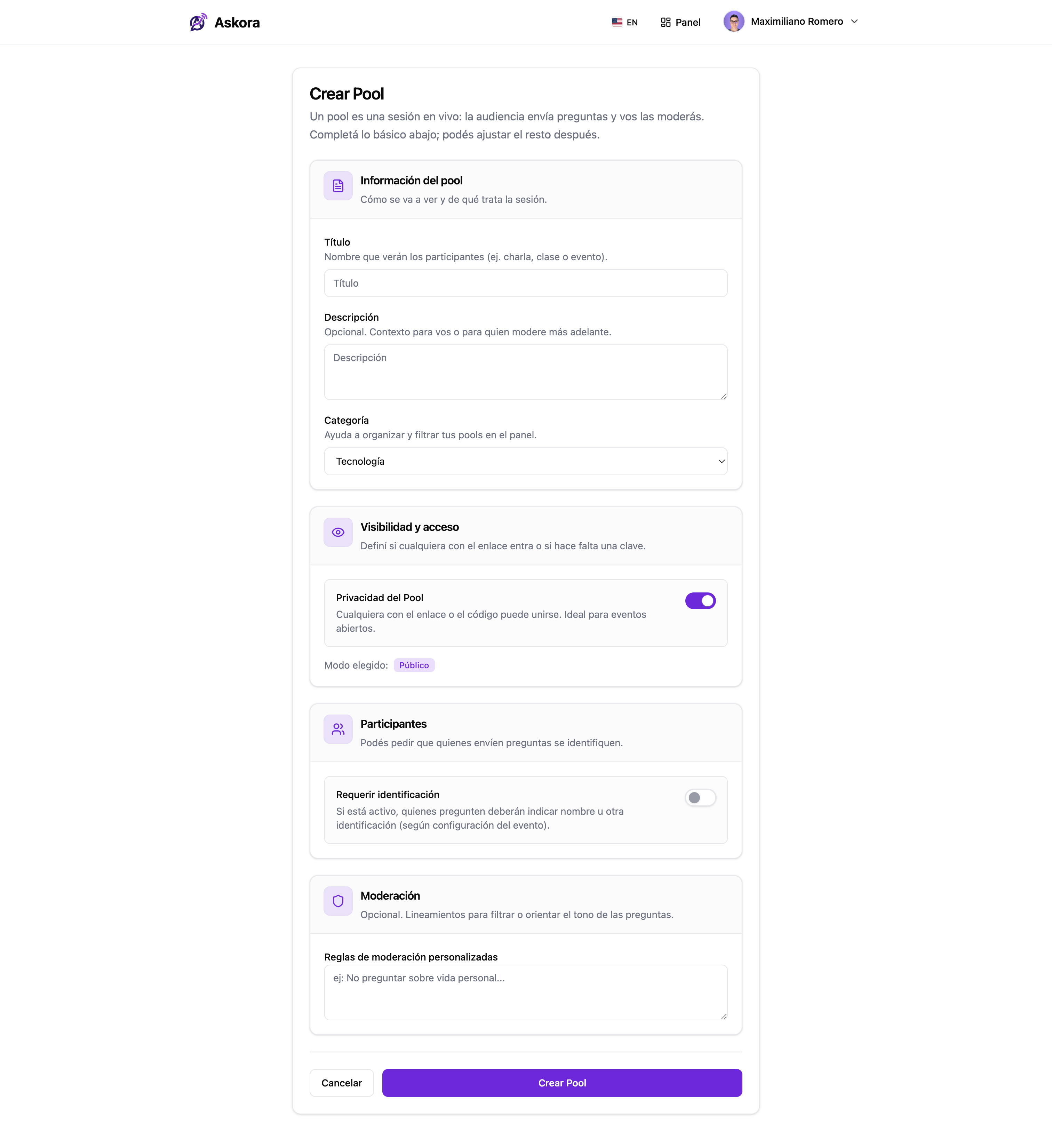
User Settings and Authentication
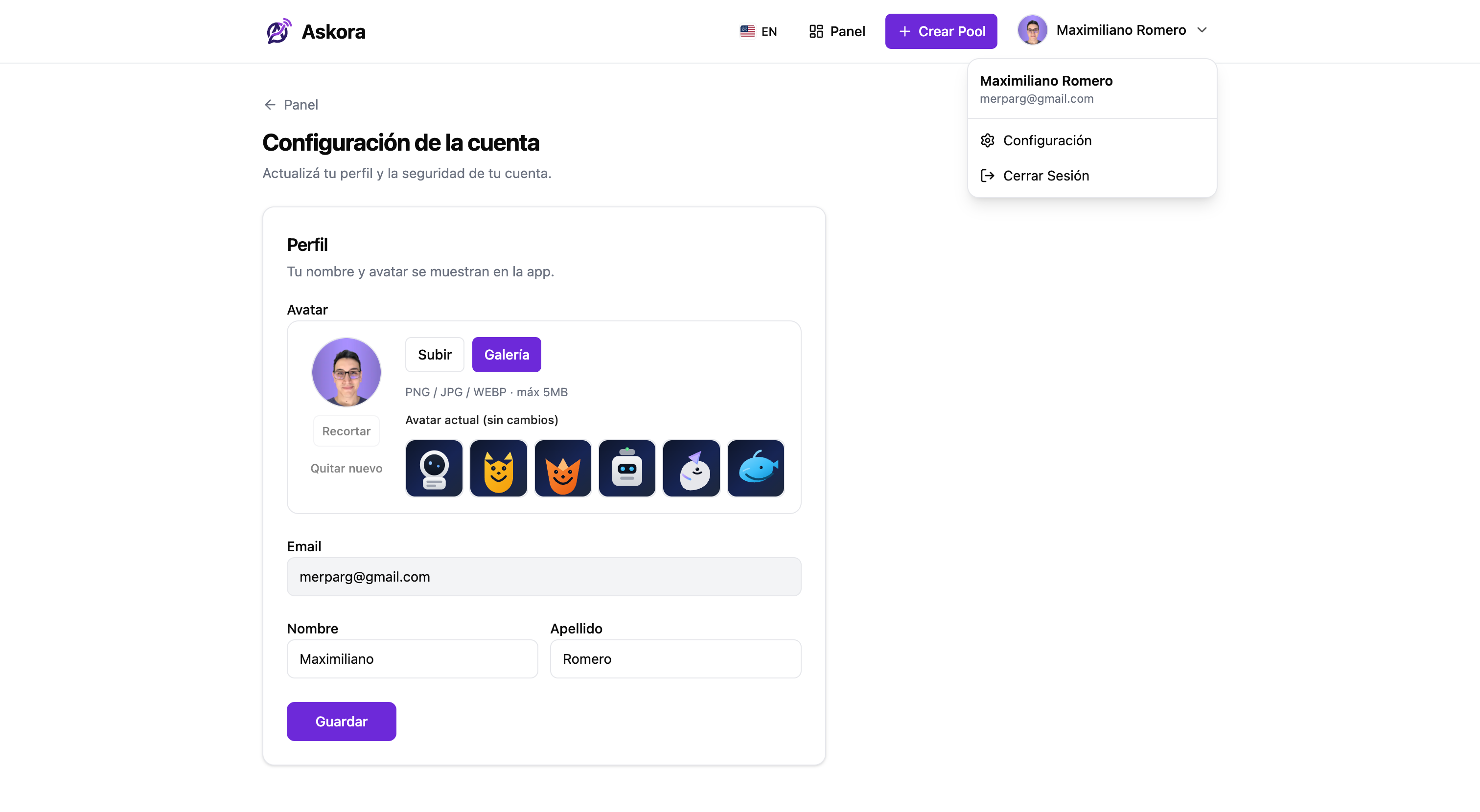
I implemented a dual authentication system with Passport, supporting classic JWT (email and password) and Google OAuth to facilitate quick user access.
An important detail in the user experience is credential management. In the settings section, the system intelligently detects how the user registered. If the user created their account using the traditional method (email and password), the option to change their password securely is enabled. However, if the user registered via Google OAuth, this option is automatically hidden to avoid confusion, since the management of that password depends entirely on Google.
The Real-Time and AI Challenge
The biggest technical challenge was orchestrating WebSocket events with AI calls. Every time a new question comes in, the system doesn’t just blindly save it. First, it evaluates the context of the existing questions in that specific pool. If the AI detects that the question is semantically similar to an existing one, instead of creating a new entry, it increments the votes of the original one and adds the context of the new one. All of this happens in the background, instantly updating the view of all clients connected via Socket.IO.
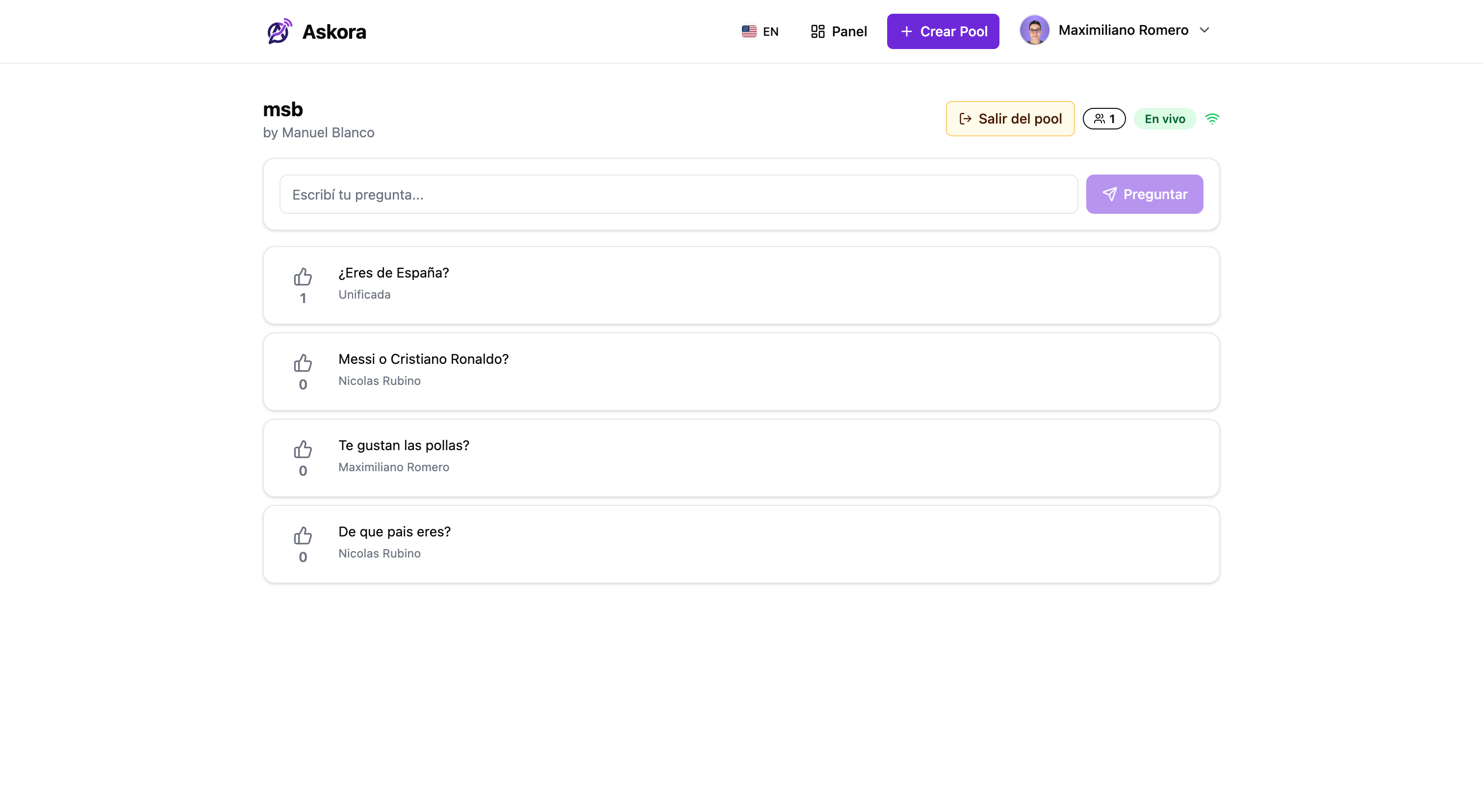
The key to making this “feel right” was taking care of two things:
- Perceived latency: even if the AI takes a while, the interface shouldn’t freeze. The question can be shown optimistically and then “merged” if appropriate.
- Consistency: the backend is the source of truth. Clients receive pool events and reconcile state, avoiding UI glitches during activity spikes.
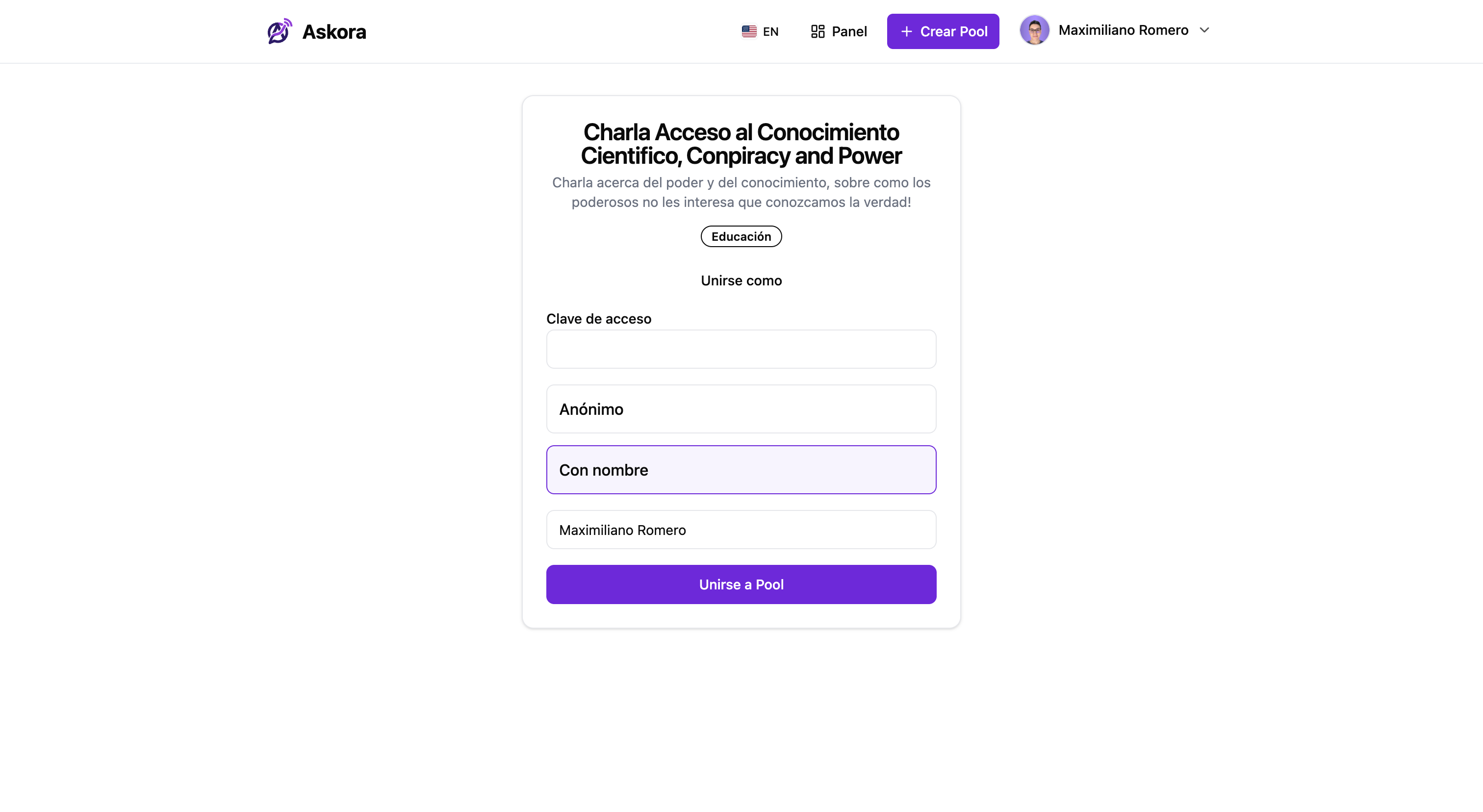
To let the audience join quickly, I also added a simple pool access screen via code/link.
Native Bilingual Support (i18n)
Knowing that content creators have global audiences, I designed Askora to be bilingual from the start. Using react-i18next, I implemented full support in Spanish and English. The platform automatically detects the user’s browser language, but also allows changing it manually. This ensures that both the presenter and the audience have a seamless experience in their native language.
Deployment on CubePath
To top off Sunday, it was time to deploy. Thanks to the free hackathon credit, I spun up a VPS on CubePath.
To maintain operational simplicity, I installed Dokploy on the server. I packaged the three services (Frontend, API, and Database) using Docker Compose. For domain configuration and to secure the connection with SSL, I used sslip.io to get a clean domain quickly and easily. In a matter of minutes, Traefik was managing the certificates and Askora was live at askora.45-90-237-254.sslip.io.
What Worked (and What I Learned)
- Choosing a clear “core loop”: create pool → submit questions → vote → view ranking; everything else is secondary.
- Designing for real-time from the start: Socket.IO allowed me to avoid a lot of complexity that appears when you try to “patch” real-time at the end.
- AI with limits and purpose: AI isn’t there just to “add AI”, it’s there to solve repetition/noise. In this case, grouping similar questions directly improves the experience.
- Real productivity: shadcn/ui + Tailwind + Prisma + NestJS = speed without losing too much order.
Next Steps (if I pick it up again)
If I iterate on Askora again, the following upgrades would have the most impact:
- Moderation: per-question states (pending/approved/hidden) and filters for the presenter.
- Anti-spam: rate limit per user, soft captcha, and simple heuristics.
- Merge quality: per-pool caching, configurable thresholds, and a panel to undo/force merges.
- Export: download to PDF/CSV with the history of questions and answers.

Conclusion
Building Askora in a weekend was an intense but incredibly rewarding sprint. It demonstrates how, by prioritizing core functionalities and leveraging modern (and free) AI tools, you can go from a Friday night idea to a full-stack product deployed on Sunday.
The project is no longer online, but you can check out the full code in the official GitHub repository: github.com/Codeartec/askora
Thanks for reading this far!
If you want to connect, feel free to reach out on Twitter or Instagram.
Maximiliano Romero
Founder of Codeartec
Software Developer